Description
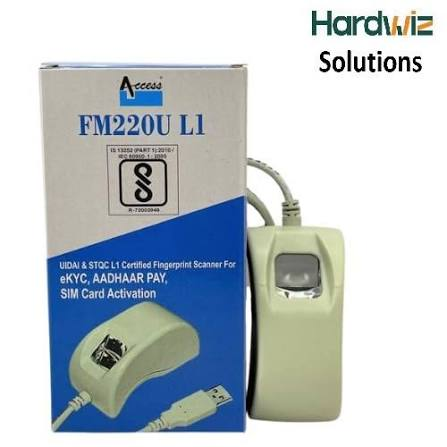
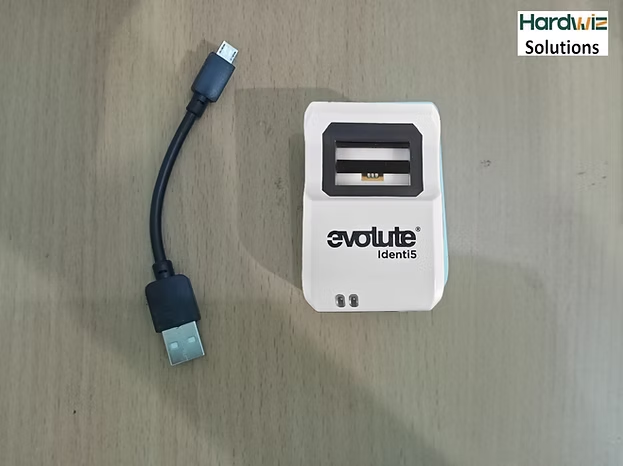
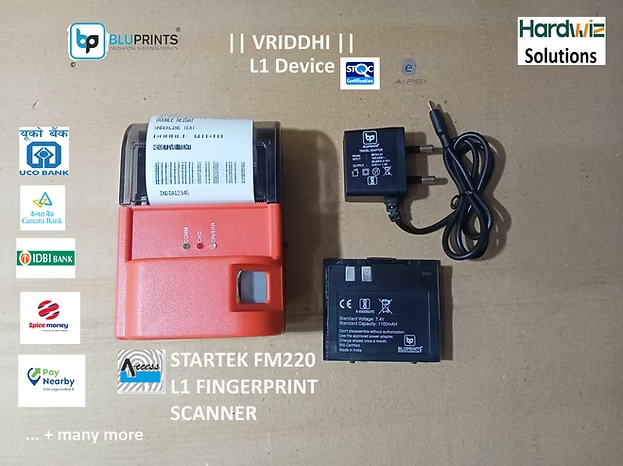
The ACPL Startek FM220 L1 Fingerprint Scanner is a compact biometric fingerprint device designed for applications that require secure fingerprint authentication and identity verification. The scanner can be used in Aadhaar-enabled applications, eKYC, banking, CSC services, authentication platforms and other biometric applications, depending on the applicable software, RD service and platform requirements.
Hardwiz Solutions provides Startek FM220-related drivers, software, RD service resources and technical support to help customers install and use their biometric scanner with supported applications.
If you are looking for Startek FM220 driver download, Startek FM220U L1 driver, FM220 RD service, Startek FM220 software or Startek FM220 price in India, this guide provides the key information you need.
What Is the Startek FM220 L1 Fingerprint Scanner?
The Startek FM220 L1 Fingerprint Scanner is a USB biometric device used to capture fingerprints for authentication and identification applications.
It is commonly associated with applications such as:
- Aadhaar authentication
- Aadhaar eKYC
- Banking authentication
- CSC and government services
- Digital identity verification
- Employee attendance
- Welfare and beneficiary authentication
- POS and retail applications
- Logical access control
- Other fingerprint-based authentication systems
The actual functionality available to the user depends on the application, operating system, biometric driver and required RD service.
Startek FM220U L1 Features
The Startek FM220 L1 Fingerprint Scanner is a USB biometric device used to capture fingerprints for authentication and identification applications.
It is commonly associated with applications such as:
- Aadhaar authentication
- Aadhaar eKYC
- Banking authentication
- CSC and government services
- Digital identity verification
- Employee attendance
- Welfare and beneficiary authentication
- POS and retail applications
- Logical access control
- Other fingerprint-based authentication systems
The actual functionality available to the user depends on the application, operating system, biometric driver and required RD service.
Startek FM220U L1 Features
The Startek FM220U L1 is designed for convenient fingerprint capture and authentication. Depending on the specific model and software environment, key features may include:
- L1 fingerprint authentication support
- Compact USB fingerprint scanner
- Fast fingerprint image capture
- Suitable for biometric authentication applications
- Compact and portable design
- USB connectivity
- Support for compatible Windows applications
- Support through compatible RD service platforms
- Suitable for banking, CSC and eKYC applications
- Designed for everyday biometric verification
Fingerprint Image Quality
A biometric scanner needs to capture a clear fingerprint image for reliable authentication. The FM220 series is designed for fingerprint capture with image processing intended to reduce distortion and provide suitable biometric data for supported applications.
Performance can vary depending on the user’s fingerprint condition, software platform, device driver, RD service and application requirements.
Driver
Startek FM220 RD Service
For Aadhaar-based authentication applications, the required Registered Device (RD) Service is an important part of the biometric setup.
The RD service works between the biometric device and supported authentication applications. Therefore, installing only the USB driver may not be sufficient for an Aadhaar authentication application.
Depending on the service provider and application, you may need:
- Compatible Startek FM220 biometric scanner
- Correct USB driver
- Compatible RD service
- Internet connectivity
- Supported authentication application
- Correct device registration/configuration
For available driver and RD service resources, visit the Hardwiz Solutions download section.
Faq's
- Why did UIDAI mandate the shift from L0 to L1 devices?
Older L0 scanners encrypt biometric templates at the software level on the host system (PC or phone), leaving a window for data interception or fraud. L1 devices perform cryptographic signing and data encryption directly inside a secure hardware zone (TrustZone/Secure Boot) within the scanner itself. The server only accepts data wrapped in this hardware-level key.
- Is my old Startek L0 device still valid?
No. UIDAI stopped whitelisting new L0 devices in late 2024, and all L0 scanners have been completely phased out. They will fail to capture or pass authentication on portals like PM-Kisan, Digital Seva, or AEPS banking. Upgrading to an L1 device is mandatory to continue operations.
💰 2. Price & Purchase FAQs
- What is the current market price of the Startek FM220U L1 scanner?
The hardware typically retails between ₹2,600 and ₹3,100 depending on the merchant, included connector type (Standard USB or Type-C), and bundled initial RD service.
- Where should I buy it to ensure authenticity?
It is vital to source the scanner from authorized OEM partners like Hardwiz Solutions or certified seller. Counterfeit or unlisted enterprise devices bought from gray markets will fail backend RD activation. [1]
🛡️ 3. Warranty FAQs
- What is the standard warranty period?
A brand-new retail package includes a 1-year manufacturer warranty covering technical flaws and optical element defects. Physical drops, cable breakage, or liquid submersion are excluded.
- Can I purchase an extended warranty?
Yes. When upgrading or recharging your RD registration through third-party utility panels like the Online RD Service Renewal System, you can select Add-on Protection plans that extend coverage by an extra 1 to 3 years.
⚙️ 4. RD Service Support & Renewal FAQs
- How much does it cost to renew the RD service?
- 1-Year Validity: Costs roughly ₹296 (+ GST).
- Lifetime Validity: Costs roughly ₹900 (+ GST) for the operational life of that specific device chassis.
- Can I transfer an active RD service subscription to a replacement scanner?
No. The RD service license key binds strictly to the unique, factory-etched hardware serial number (S/N). If you type an incorrect serial digit during renewal, the payment cannot be reassigned or refunded.
- How long does it take for the scanner to activate after making an online payment?
Once paid via portals like ACPL Device Management, activation drops onto the UIDAI ecosystem within 5 to 15 minutes. Unplug the device, clear your browser/app cache, plug it back in, and test.

Reviews
There are no reviews yet.